One coherent navigation model
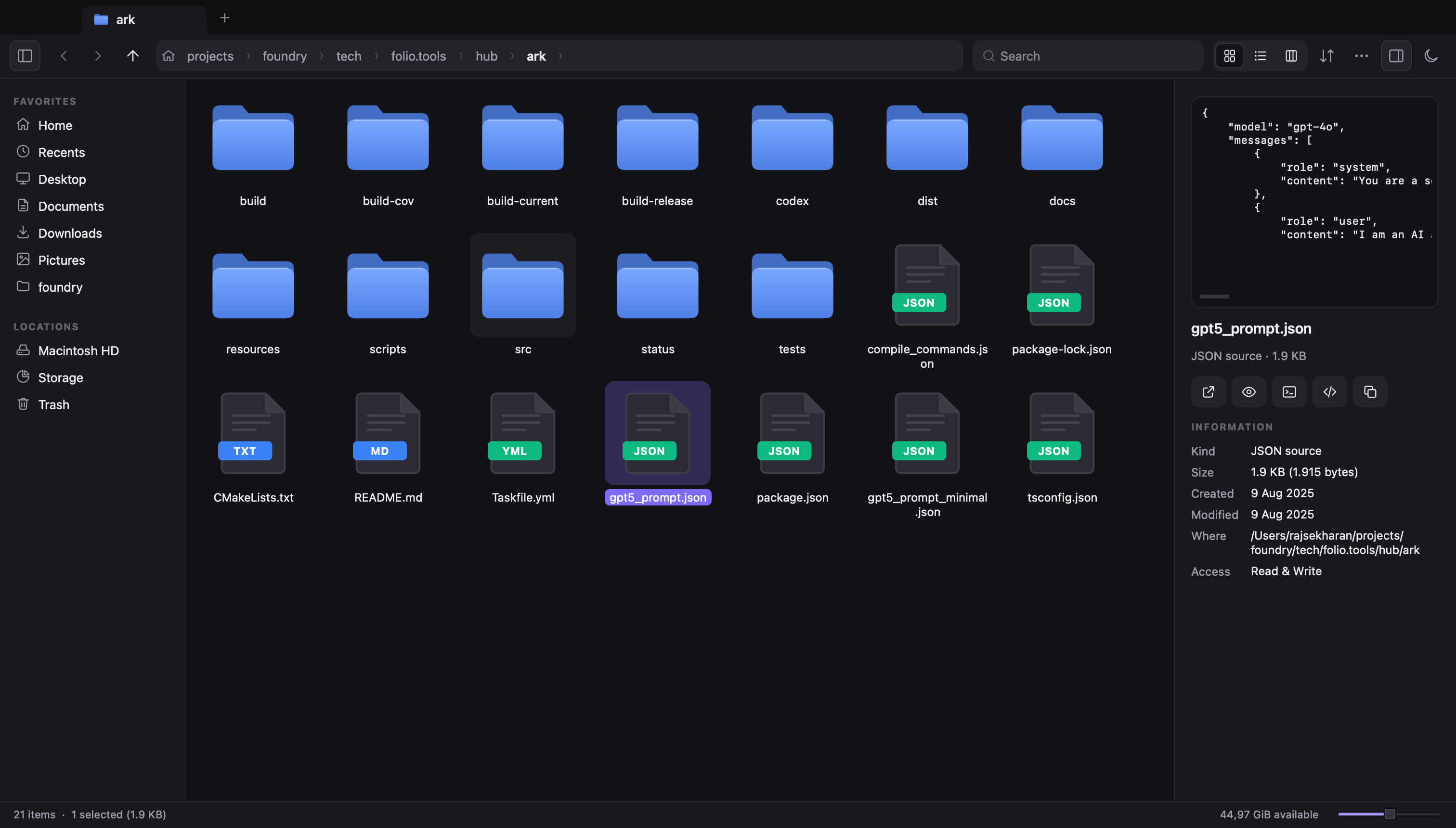
Breadcrumb address bar with subfolder menus, Quick Look previews, custom Miller columns, always-visible tabs inline with the title bar, and one-keystroke Open Terminal Here.
Explorer breadcrumbs and shortcuts, macOS Quick Look and Miller columns, Linux terminal handoffs, streaming Spotlight search, and local developer cache cleanup. Everything stays on your machine.
brew install --cask nodesman/ark/ark
macOS on Apple Silicon. Upgrade with brew update && brew upgrade --cask ark. Also available as a signed .dmg and .tar.gz.
curl -fsSL https://ark.aramudan.dev/apt/ark-archive-keyring.gpg | sudo tee /usr/share/keyrings/ark-archive-keyring.gpg >/dev/null
echo "deb [signed-by=/usr/share/keyrings/ark-archive-keyring.gpg] https://ark.aramudan.dev/apt stable main" | sudo tee /etc/apt/sources.list.d/ark.list
sudo apt-get update && sudo apt-get install ark
Ubuntu 22.04+ and Debian 12+ (amd64 & arm64). Upgrade with sudo apt-get update && sudo apt-get upgrade.
Windows 11 builds (winget / MSIX installer) are pending and coming soon. Ark v1 ships on macOS (Apple Silicon) today.
Best of every desktop
Breadcrumb address bar with subfolder menus, Quick Look previews, custom Miller columns, always-visible tabs inline with the title bar, and one-keystroke Open Terminal Here.
Search across the current folder, Home, or the entire disk with kind, size, modified date, wildcard, regex, and in-file content filters — streaming results live as they arrive.
Visual drive bars and honest cache cleanup for app caches, logs, Homebrew, npm, Cargo, Gradle, and Docker. Caches delete cleanly; personal files only ever move to Trash.
Single-instance instant reopen, Trash with Put Back, Working Sets to gather files without moving them, and on-device app suggestions when no installed app opens a file.